Build a WhatsApp AI Agent for Automatic Appointment Scheduling with n8n (No Coding Required!)
Tired of answering the same appointment and schedule questions over and over again?
This article will walk you through how to create a smart WhatsApp AI Agent that can automatically manage and respond to appointment-related questions using your Google Calendar — all powered by n8n.
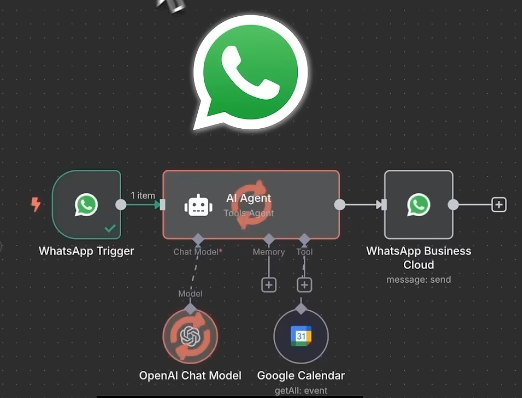
Let’s go step by step and set it up in a simple, practical way.
Part 1: Designing the Workflow for Your AI Agent
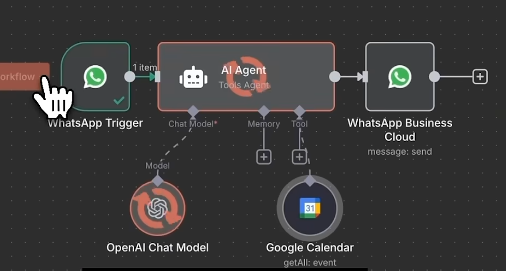
To make everything work smoothly, this AI Agent is built around four main components inside n8n:
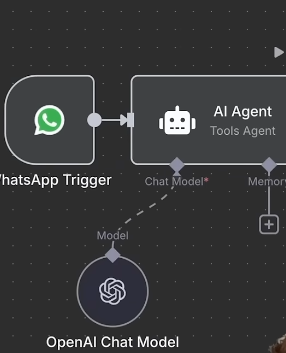
1. Trigger (WhatsApp Trigger)
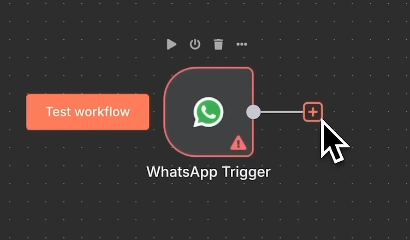
Start by adding a WhatsApp Trigger node.
This allows the system to detect and react instantly whenever a new WhatsApp message comes in.
2. The Brain of the System (AI Agent & GPT)
Next, add the AI Agent node as the core of your workflow.
Then select ChatGPT as the Agent’s “brain,” responsible for understanding questions and generating natural, human-like replies.
3. Essential Tool (Google Calendar)
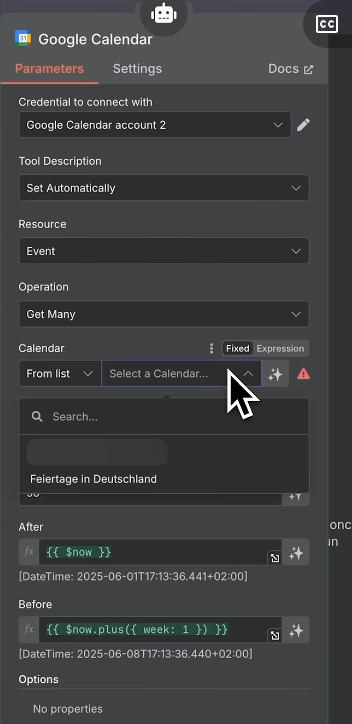
Add the Google Calendar tool and connect it to your calendar account.
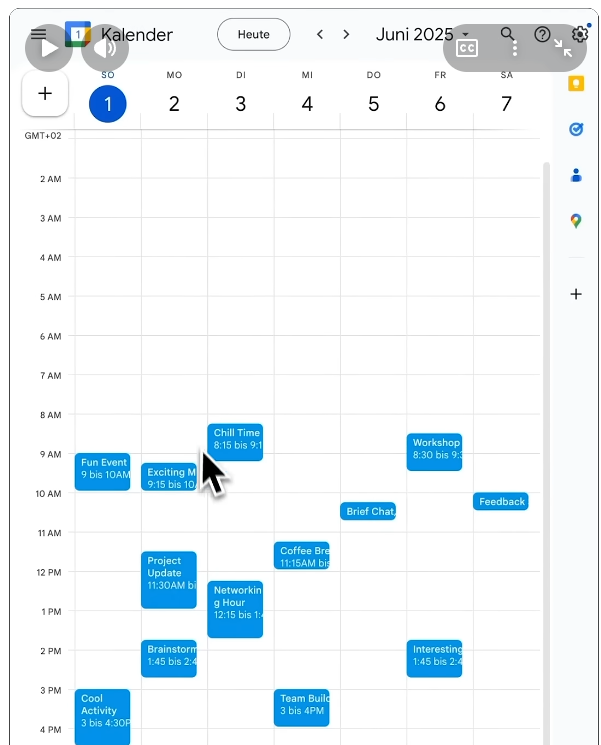
This step is crucial because it allows the Agent to read all your appointment data directly from your calendar.
4. Sending the Reply (WhatsApp Business Cloud)
Finally, add the WhatsApp node again so the Agent can send responses back to the person who asked the question.