
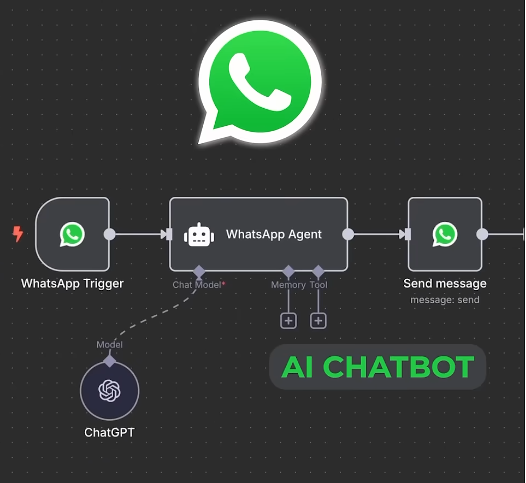
Turn WhatsApp into an Automated Sales Assistant with n8n + Google Sheets
Turn WhatsApp into an Automated Sales Assistant with n8n + Google Sheets
If you’re tired of replying to the same customer messages over and over — or manually writing orders into a spreadsheet — this video shows a smart and practical solution you’ll love.
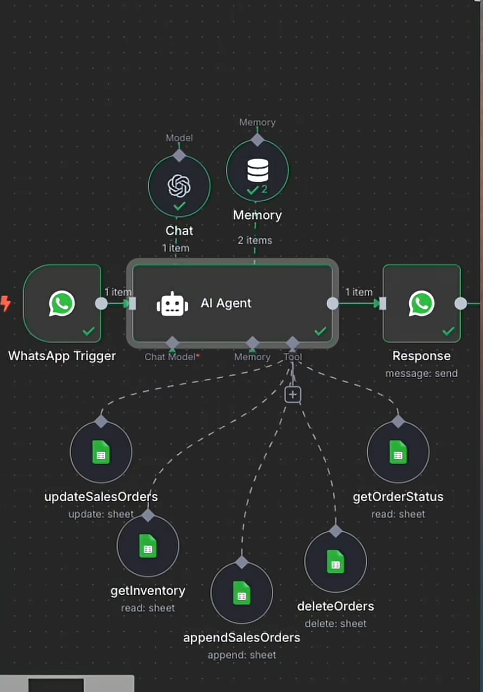
How Does the System Work? (Workflow Overview)
Imagine a customer messages you on WhatsApp. Here’s what happens behind the scenes:
1. Greeting & Information Collection
The bot immediately greets the customer, asks for their name, and guides them through the ordering process step by step — all within WhatsApp.
No extra apps to install, no complicated setup for the customer.
2. Real-Time Stock Checking
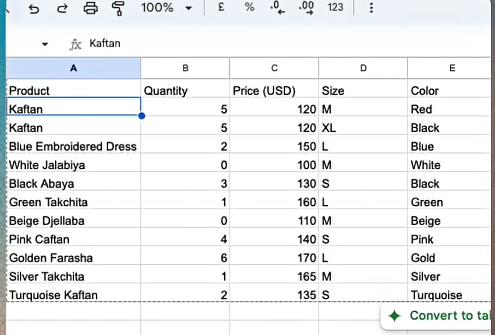
When a customer asks to see available products, the system pulls live data from Google Sheets and shows only items that are currently in stock.
Out-of-stock products are automatically hidden, so there’s no risk of taking orders you can’t fulfill.
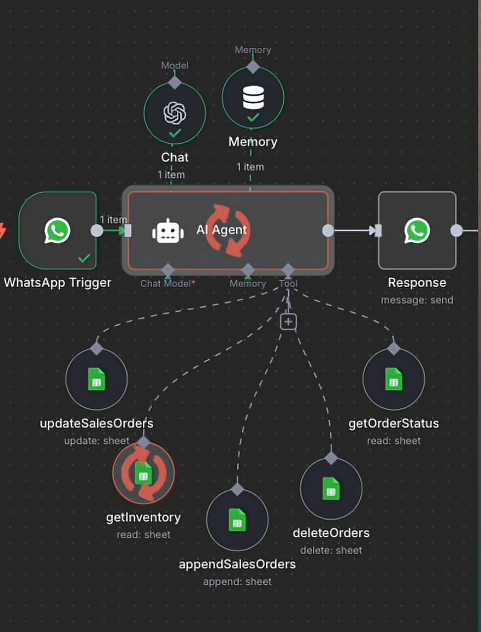
3. Automatic Order Recording
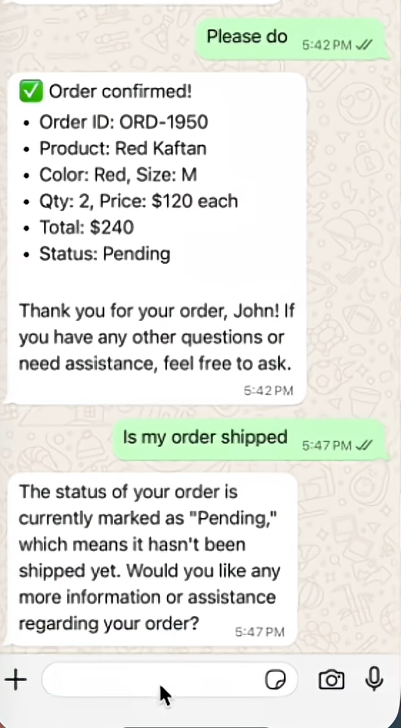
Once the customer confirms an order, the bot automatically saves all the details — name, phone number, product size, quantity, and price — into Google Sheets.
Each order is recorded on its own row, keeping your data clean, organized, and easy to manage.
4. After-Sales Support
And it doesn’t stop there. Customers can come back later and ask things like:
- “What’s my Order ID?”
- “Has my order been shipped yet?”
The bot checks the information in Google Sheets and replies instantly — no manual work required from you.
Why This Setup Is Worth Using
- Clean & Organized:
All order data is stored automatically, reducing human error. - Time-Saving:
Let AI handle common questions and order intake 24/7. - Happier Customers:
Instant replies, no waiting, and self-service order tracking at any time.
Final Thoughts
Using n8n to connect WhatsApp with Google Sheets is a smart, simple way to automate sales and customer support — and it makes your business look far more professional at the same time.